SpellGen is a comprehensive rewrite of the software architecture to enable easier modifications in the future. It supports three document types and features settings support, error logging, finances, inventory, investment tools, legal, project management, and vertical market applications.
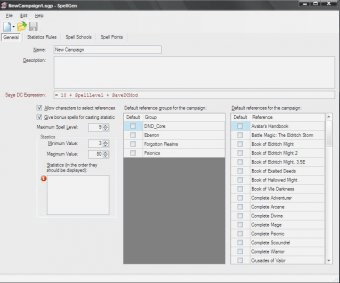
SpellGen is a complete rewrite from the ground up to rearchitect the software in a way that will (I hope at least) allow for easier changes going forward. There are no longer two applications, all editing for all file formats is done in the main application.
SpellGen now supports 3 different document types.
Main features:
- Settings support: SpellGen saves various settings on a per user basis. The final settings list is TBD but they are all available via the Edit | Settings menu pick.
- Error logging support. SpellGen can generate error logging (via a configuration file setting); if enabled this error log is viewable from the about box. This should help with diagnosing problems in the field. (The current level of logging is not as good as it should be but this will get added to as time goes on).
-General – Diagnostics. SpellGen is a substantially more complicated application, because of this there is a lot more that can go wrong in the load process. To help with this there is some simple diagnostics available in the about box to check to make sure that all services and plugins loaded correctly.
-Database support. All of the reference and campaign data files are loaded into a database (Firebird for those that are curious) when the application starts. This means that all of the editors have the entire data set of all of the files available to them while they run. This allows for much better data validation (many combo boxes will show you every value in the database as choices for example). Unfortunately it also means that startup takes substantially longer.
-General – Spell selection. In all places where you can select a spell (and there are a lot more of them) you now have access to a detailed spell search facility. This will let you do things like search for all Evocation [Fire] spells in the Players Handbook and Spell Compendium.
-General – The software update mechanism has changed. SpellGen now has 3 modes of operation for software updates. The first is automatic, this works like SpellGen 1.x, updates are checked for at startup and automatically downloaded. The second is semi-automatic, updates are checked for at startup and a list of out of date files is shown allowing you to choose which (if any) you wish to update. The third is manual, the software never checks for updates unless you run them yourself by clicking “Check for Updates…” in the Edit menu.





Comments (2)